Find answers with context
Bring together connected clients, projects, tasks, activity and related communications so your team spends less time searching and more time acting.
Meet the intelligent assistant being developed inside ODIN—a more natural way to find information, learn the system, navigate workflows, and get meaningful work done.
Raven is designed to know the context of your business workspace, not just answer generic questions. It connects people to the work, records, and next steps that matter.
Raven is evolving: demonstrations show current work and product direction; availability varies by capability.
Most AI tools start outside your daily operations. Raven's direction is different: bring assistance into ODIN, where customers, projects, schedules, activities, and business processes already connect.
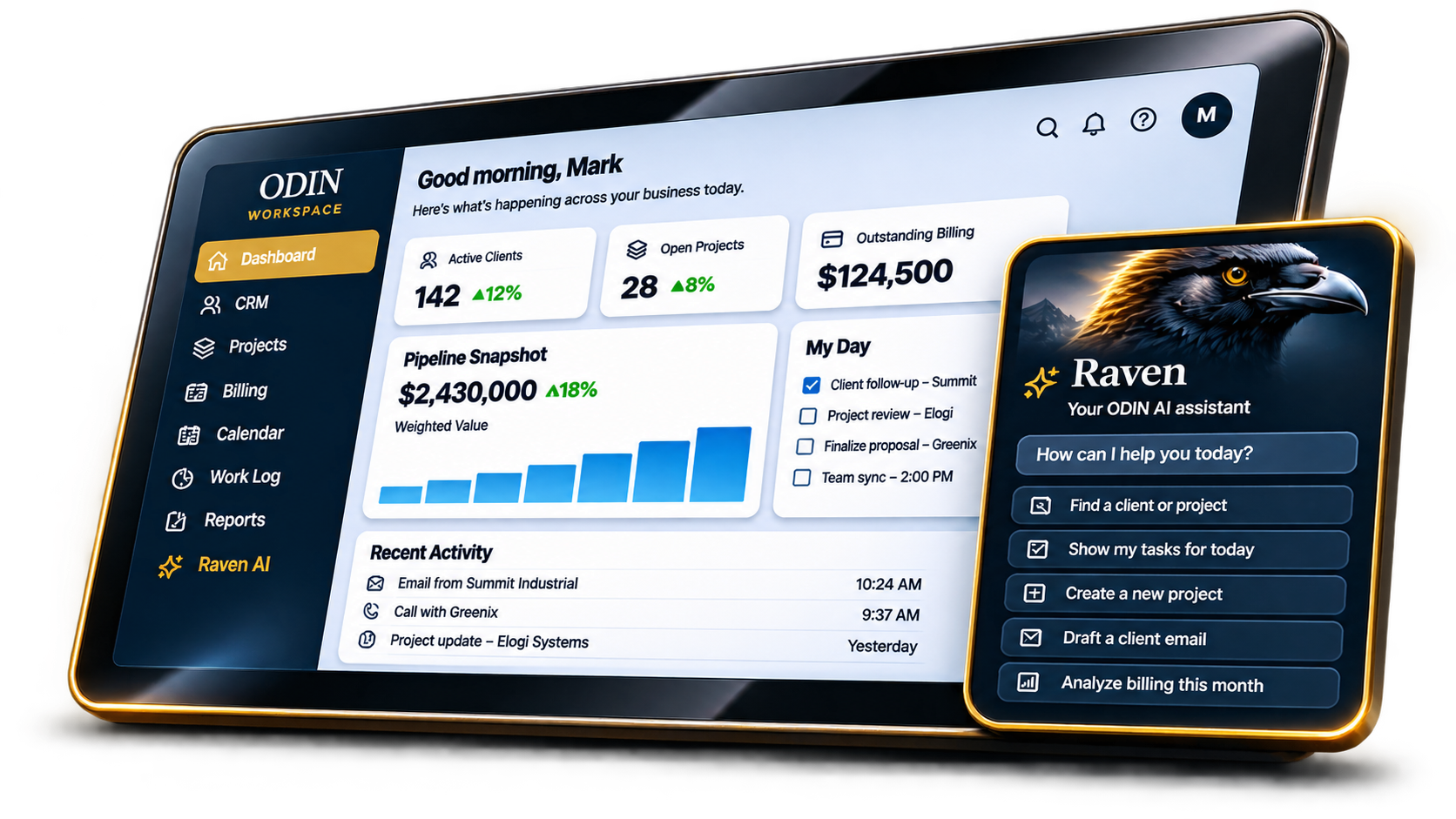
Ask a question, see the relevant information, learn the next step, then continue directly in ODIN.
Explore the ODIN platform
From finding a record to helping a new colleague complete their first task, Raven is being developed around practical business needs—not abstract AI demonstrations.
Bring together connected clients, projects, tasks, activity and related communications so your team spends less time searching and more time acting.
Guide someone through your established ODIN workflows, explain each step, and surface related records or next actions a new employee may not know to look for.
Go beyond a simple chatbot. Raven is being connected to ODIN actions so users can work with tasks, follow-ups, and business information from a natural-language request.
Explore a vision for asking business questions in everyday language, then creating helpful summaries, reports, widgets, and custom views.
The communications roadmap connects emails and text messages with the customers, activities, and projects that give those messages meaning.
Raven is designed to operate inside ODIN's company and user access boundaries, not bypass them. What people can see and do must remain governed by their permissions.
Every business has processes that aren't obvious to someone new. Raven's planned workflow guidance will make those established ODIN processes easier to discover, understand, and repeat.
Explain the right process at the moment of need.
Guide users through screens and task sequences.
Point out related records and overlooked next steps.
Reduce dependence on tribal knowledge as teams grow.
Workflow guide · IllustrativeHere is the workflow your team can follow:
Raven is being designed to keep people informed and in control as it brings intelligence into daily business processes.
Ask Raven a question or describe the task in natural language.
Raven identifies relevant ODIN records, context, and permitted actions.
It explains the process, links related information, and suggests sensible next steps.
With the right permissions and workflow support, move into ODIN to complete the work.
Raven's architecture is being built around ODIN's tenant separation, company roles, and visibility controls. Personal information should remain personal, and sensitive company records should be accessible only to authorized users.
Security functionality and controls are subject to implementation and validation. No independent certification is implied.As the platform evolves, the roadmap includes deeper search across connected communications, more actionable workflow assistance, custom screens and reports, and Google Workspace and Microsoft 365 integrations. These are product directions, not claims of general availability today.
See the ODIN module roadmapExplore Raven's current demonstration, then discover how ODIN can bring your operations into one connected workspace.